

Friendly, Simple Technology Help for Seniors
Golden Tech Helper is your personal AI technology assistant that provides step-by-step guidance for everyday technology problems.
✓ Available 24/7
✓ No downloads required
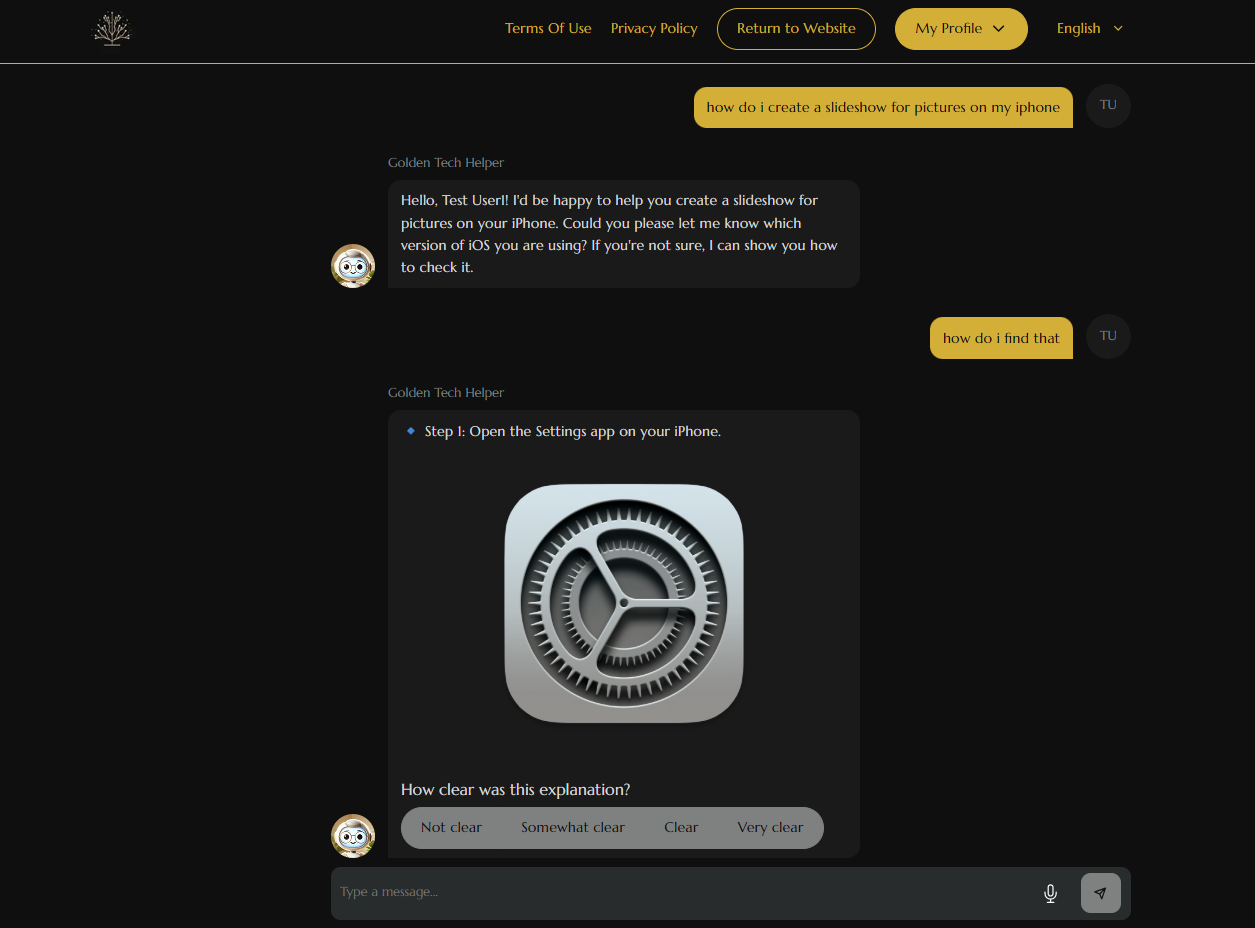
✓ Easy-to-follow instructions with pictures
✓ Designed specifically for seniors
Just ask a question like you would in a text message, and Golden Tech Helper will guide you every step of the way.
👉 Get Friendly Help Now
How Golden Years IT Helps You
Golden Tech Helper helps you:
Solve everyday technology problems
Receive step-by-step guidance with pictures
Learn at your own pace
Stay safe from online scams
Get help in English or Spanish
For more tips, guides, and helpful articles, visit the Free Senior Tech Blogs page.

Meet Golden Tech Helper
Ask questions like:
"How do I send a picture?"
"Why won't my printer print?"
"How do I connect to Wi-Fi?"
“Is this text message a scam?”
"Is this email a scam?"
"How do I use FaceTime?"
"How do I change my password?"
How To Get Started

Step 1: Choose a Membership
Pick the plan that works best for you—one-time, monthly, or yearly access.

Step 2: Ask a Question
Type your tech question anytime, big or
small, Golden Tech Helper is ready to help!

Step 3: Get Friendly Help
Golden Tech Helper gives simple, step-by-step answers with visual images, no tech jargon, just support.
How Golden Tech Helper Makes Things Easy
🧓 Made for Seniors – No confusing tech talk. Just clear answers and patient guidance.
💬 Ask Anything – From “How do I use email?” to “Why won’t my laptop turn on?” — we’ve got you.
📸 Helpful Pictures & Instructions – Golden Tech Helper guides you every step of the way with clear instructions and helpful images.
⏳ Take Your Time – There’s no rush. We move at your pace.
😊 Always Encouraging – You’re never alone. We’re here with a smile and a helping hand.
📵 Not sure if a phone call, text, or email is real? Just ask Golden Tech Helper — we’ll help you spot spam and possible scams so you can stay safe and confident online.

Stay Connected to the People You Love
Technology isn’t just about devices.
It’s about:
Talking to grandchildren
Sharing photos
Paying bills safely
Avoiding scams
Staying independent
We’re here to help you do all of that with confidence.

Need a Hand? Let’s Talk.
Have a question, need help with your membership, or just want to say hello? We’re here for you! Fill out the form below or reach out directly, we’ll get back to you as soon as we can with the support you need.